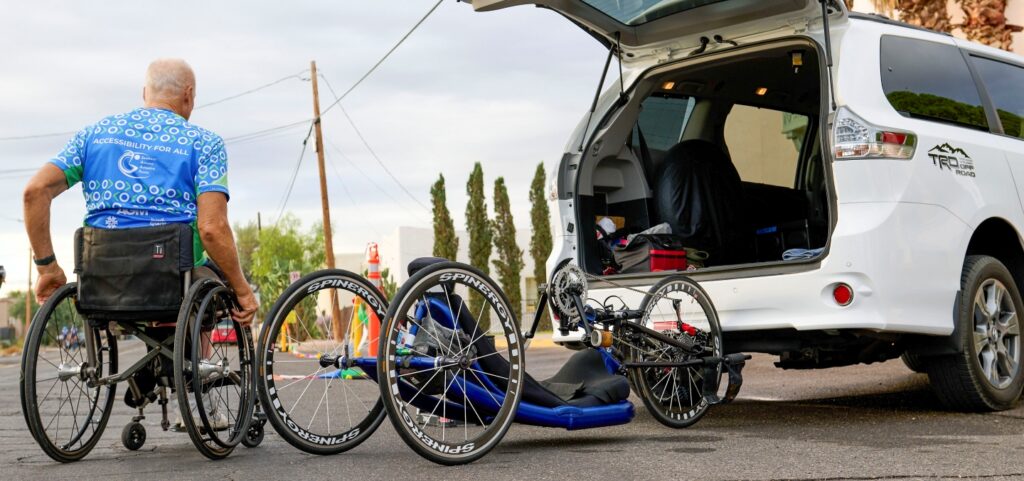
Register for El Tour de Tucson with Team Access
We’re excited you’ll be joining Team Access at El Tour de Tucson. Registering only takes a few minutes, and this guide will walk you through this two-step process.
1. Register with El Tour
2. Register with Team Access
If you have questions at any point, don’t hesitate to contact our team—we’re happy to help.
Register for El Tour
Need Help?
We’re here to make your El Tour experience as smooth as possible.
If you’re unsure about your adaptive category, registration options, fundraising, or anything else, reach out before completing your registration.
Follow These Instructions to Join Team Access
Step 1: Start Your El Tour Registration
Visit the official El Tour de Tucson registration page and select Register Today.
If you’ve participated in El Tour before, sign in to your existing BikeSignup account. New riders can create a free account in just a few minutes.
Step 2: Select Your Ride Distance
Choose the distance you’d like to ride.
Whether you’re riding the 102-mile route or one of the shorter distances, Team Access supports adaptive athletes across all ride lengths.
Step 3: Choose Your Adaptive Category
When prompted, select the adaptive category that best matches the cycle you’ll be riding during El Tour.
Tip: Your category is based on the adaptive cycle you will be riding—not your medical diagnosis.
Adaptive Handcycle
For athletes who ride a handcycle powered primarily by their arms. This includes both recumbent and kneeling/sitting handcycles.
Adaptive Cycling
For athletes who ride a standard two-wheeled bicycle and have a physical disability, limb difference, neurological condition, or other impairment that affects cycling but does not require a handcycle, tricycle, or tandem.
Adaptive Tricycle
For athletes who ride an adaptive three-wheeled cycle because a traditional bicycle does not provide the balance or stability they need.
Adaptive Tandem
For athletes with a visual impairment who ride a tandem bicycle with a sighted pilot.
If you’re unsure which category is right for you, contact Team Access before registering and we’ll help you choose the best option.
Step 4: Complete Your Rider Information
Complete the remaining registration information, including:
- Emergency contact information
- Rider waivers
- Bicycle information
- Any additional questions required by El Tour
Step 5: Fundraising (Optional)
Some Team Access riders choose to create a personal fundraising page or support one of our community partners.
Fundraising is optional unless your registration type requires it.
If you decide to participate, BikeSignup will guide you through creating your fundraising page.
Step 6: Complete Your El Tour Registration
Review your El Tour registration and submit your payment (if applicable). You would enter any access code you have been given by your supporting organization at the payment page.
Once complete, you’ll receive a confirmation email from BikeSignup confirming your registration.
Our premier community partner for El Tour de Tucson is Southern Arizona Adaptive Sports (SAAS). If you’re looking for an organization to support during registration, we encourage you to consider fundraising for SAAS. Their year-round adaptive cycling programs help introduce new riders to the sport, provide training and equipment, and build the community that makes events like El Tour possible.
Step 7: Join the Team Access Ride Team
After registering for El Tour, please fill out the contact form below with the following information:
- Your name
- Your contact information (email and phone number)
- Your El Tour registration number
- Your preferred jersey size
- If you will need accessible parking at El Tour
This information will be used to provide you with the following Team Access benefits:
- Reserve your Team Access jersey (as long as supplies are available)
- Add you to Team Access communications
- Share training rides and event updates
- Coordinate race weekend information